
The Dell Precision Mobile Workstation 5000 Series Quick Start Guide provides instructions on how to connect the power adapter, set up the operating system, connect to a network, protect your computer, and locate Dell applications.
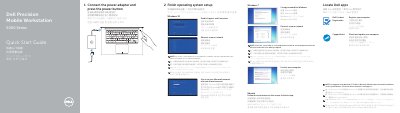
This quick start guide for the Dell Precision 5510 mobile workstation shows how to connect the power adapter, press the power button, and finish operating system setup. It covers setup steps for Windows 10, Windows 7, and Ubuntu, setting a Windows password, connecting to a network, locating Dell apps, and signing in to a Microsoft account or creating a local account.
The guide also lists features including the power button, Kensington-security slot, battery-status button and lights, USB 3.0 connectors with PowerShare, memory-card reader, touchpad, headset connector, Thunderbolt 3 connector, HDMI connector, power connector, camera, speakers, microphones, power-status light, and service-tag label. It gives Dell support and manual links, contact and regulatory information, and identifies the computer model as Dell Precision 5510.
| Computer model | Dell Precision 5510 |
|---|---|
| USB connector | USB 3.0 with PowerShare |
| Thunderbolt connector | Thunderbolt 3 |
Connect the power adapter and press the power button, then finish the operating system setup by following the on-screen instructions.
Enter the password for the wireless network access when prompted.
The guide lists Dell.com/support and Dell.com/support/manuals.
The computer model is Dell Precision 5510.