
The Dell Inspiron One 2330 Series Quick Start Guide provides information on how to set up, use, and maintain your computer.
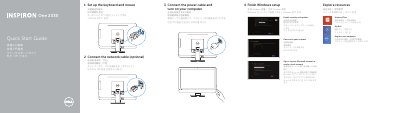
This quick start guide for the Dell Inspiron One 2330 series computer walks through the initial setup in numbered steps: setting up the keyboard and mouse, connecting the network cable (optional), connecting the power cable and turning on the computer, finishing Windows setup, enabling security and updates, signing in to a Microsoft account or creating a local account, connecting to the network, exploring resources, and registering the computer. Support and contact links such as dell.com/support, dell.com/support/manuals and dell.com/contactdell are listed at the end.
The second page lists the computer's features and ports with numbered callouts, including the left and right microphones, camera and camera-status light, optical drive, brightness-control buttons, power button, media-card reader, USB 3.0 and USB 2.0 ports, microphone, headphone, S/P DIF, VGA-in, VGA-out, audio-out, network, power, HDMI-in and composite ports, security-cable slot, and the Service Tag and regulatory labels. The document is printed in several languages, including Chinese, Japanese, Korean and English. This manual is written in Chinese.
| Computer model | Inspiron One 2330 series |
|---|---|
| Regulatory model | W05C |
| Regulatory type | W05C001 |
| USB 3.0 ports | 2 |
| USB 2.0 ports | 2 |
| Brightness-control buttons | 2 |
| HDMI-in port | Optional |
| VGA-in port | Optional |
You can connect the network cable during setup (optional) and then connect to your network when finishing Windows setup.
Connect the power cable, turn on the computer, and then finish Windows setup.
Dell lists dell.com/support for product support and dell.com/support/manuals for manuals.
The features list shows two USB 3.0 ports and two USB 2.0 ports on one side, plus another two USB 3.0 ports.