
The Dell Latitude 15 3000 Series Notebook Quick Start Guide.
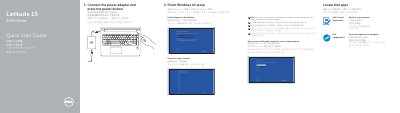
This guide helps you set up your Dell Latitude 15-3560 notebook by connecting the power adapter and pressing the power button. It walks you through completing Windows 10 setup, connecting to your network, signing in to your Microsoft account, and registering your computer. The guide also lists all physical features including ports, sensors, and indicators.
The document includes multilingual support with translations in Chinese, Japanese, Korean, and others. It references Dell’s support resources and regulatory information for the model P50F, including voltage and frequency ratings.
| Computer model | Latitude 15-3560 |
|---|---|
| Regulatory model | P50F |
| Regulatory type | P50F001 |
| Rated voltage | 100 - 240 volts |
| Rated frequency | 50 / 60 Hz |
| Rated input current | 1.7 A (65 W) / 2.5 A (90 W) |
Enter the password for the wireless network access when prompted.
The computer model is Latitude 15-3560.
Rated voltage: 100 - 240 volts, rated frequency: 50 / 60 Hz.