
The Dell computer user manual introduces the safety information and feature list of the Dell computer.
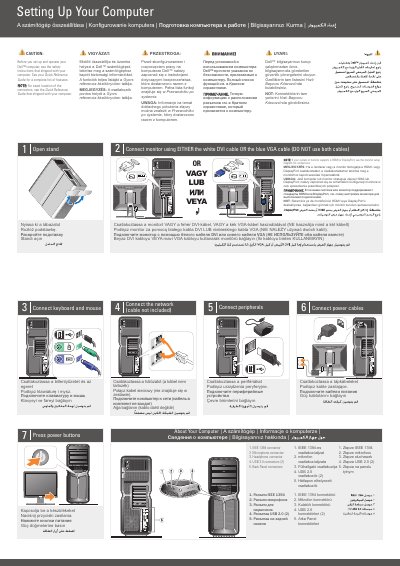
This Dell computer manual provides setup steps for a Dell computer, including safety instructions, connecting a keyboard and mouse, peripherals, power cables, and monitor connections. It also covers optional wireless network setup and refers to the Quick Reference Guide and support.dell.com for more information. The document includes instructions for the Dell™XPS™730/730X.
| Monitor video connection | White DVI cable or blue VGA cable; do not use both cables |
|---|
Connect the monitor using either the white DVI cable or the blue VGA cable. Do not use both cables.
See the safety instructions that shipped with the computer before setup and operation.
Connect the network using an internet service, cable or DSL modem, wireless router, and desktop computers with network adapters or USB wireless adapters.