
Dell Inspiron 7547 Laptop Quick Start Guide

Dell Inspiron 7547 Laptop Quick Start Guide.
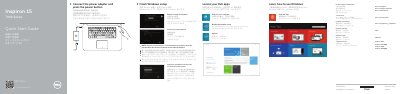

Dell Inspiron 7547 Laptop Quick Start Guide - cover page
Brand
DELL
Category
Laptops
Document type
Quick Start Guide
Language
English
Pages
2
File format
PDF
File size
642 KB
Published
25 November, 2023
Updated
25 November, 2023
MD5 checksum
6A9D8A683A21E5A480B73FFBD8B32E9C

About this manual

The Dell Inspiron 7547 Quick Start Guide provides essential instructions for setting up the laptop, including Windows configuration, network connection, and account creation.

It includes a detailed map of the device's hardware features, such as ports and status lights, as well as a reference for keyboard shortcut keys.

What's inside

  • Finish Windows setup
  • Help and Tips
  • Features
  • Shortcut keys

Specifications

Regulatory modelP41F
Regulatory typeP41F001

Frequently asked questions

How do I connect to a secured wireless network?

Enter the password for the wireless network access when prompted.

How do I turn on the computer after connecting the power adapter?

Press the power button.

What should I do if I connect to a secured wireless network?

Enter the password for the wireless network access when prompted.

Which USB port includes PowerShare?

The USB 3.0 port with PowerShare.

Download PDF (642 KB)

More DELL Manuals


View all DELL manuals →