
The Dell OptiPlex 5050 Small Form Factor Quick Start Guide describes how to connect the keyboard and mouse, connect the network cable, connect the display, connect the power cable and press the power button, and complete the operating system setup.
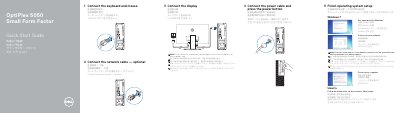
This guide helps you set up your Dell OptiPlex 5050 SFF desktop. Connect peripherals like keyboard, mouse, and display. If you have a discrete graphics card, connect the display to it. Complete OS setup for Windows 7 or Ubuntu. The guide also lists all ports and features, including HDMI, USB, and network ports.
The device includes safety features like Kensington lock and power diagnostics. It meets Taiwan RoHS standards and is designed for small form factor use. Support and manuals are available at Dell.com/support.
| Rated Voltage | 100 - 240 volts |
|---|---|
| Rated Frequency | 50 - 60 Hz |
| Rated Input Current | 4 amps |
| RoHS Compliance | Taiwan RoHS standard CNS15663 |
Connect the display to the discrete graphics card if you have one. Otherwise, connect to the onboard graphics port.
Available ports include USB 2.0 and 3.0, HDMI, DisplayPort, VGA (optional), PS/2, serial, network, and Kensington lock.