
Dell XPS 13 laptop quick start guide.
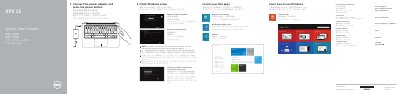
This is Dell's quick start guide for the XPS 13 laptop, computer model XPS 9343 (regulatory model P54G, regulatory type P54G001). The English text is printed together with Chinese, Japanese and Korean translations and is dated 2014-10. It walks new owners through connecting the power adapter and pressing the power button, finishing Windows setup, locating Dell apps such as My Dell and Dell Backup and Recovery, registering the computer, connecting to a network, and signing in to a Microsoft account or creating a local account.
The second part of the guide is a numbered illustration of the computer's features, from the camera and power-adapter port to the media-card reader, security-cable slot and regulatory/service tag labels, followed by a list of shortcut keys for audio, media playback, display switching, keyboard backlight, brightness, the Fn-key lock and wireless. Dell points readers to dell.com/support for specifications and manuals, dell.com/contactdell for support contacts and dell.com/regulatory_compliance for regulatory and safety information.
| Computer model | XPS 9343 (XPS 13) |
|---|---|
| Video output | Mini DisplayPort |
| USB | USB 3.0 port, USB 3.0 port with PowerShare |
| Battery charge indicators | 5 status lights with status button |
| Security | Security-cable slot |
Connect the power adapter and press the power button.
Enter the password for the wireless network access when prompted.
Dell refers you to the Specifications page at dell.com/support.