
OptiPlex 7050 Micro Quick Start Guide
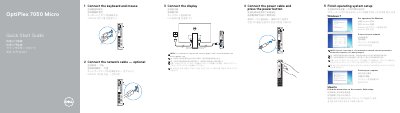
This is the two-page Dell quick start guide for the OptiPlex 7050 Micro desktop computer, printed in English, simplified Chinese, traditional Chinese, Japanese and Korean. It walks through the first setup steps in order: connect the keyboard and mouse, connect the network cable (optional), connect the display, connect the power cable and press the power button, and finish the operating system setup for Windows 7, Ubuntu or Windows.
| Computer model | OptiPlex 7050 Micro |
|---|---|
| Product name (Taiwan RoHS statement) | Desktop computer (桌上型電腦) |
| Rated voltage | 100 - 240 V |
| Rated frequency | 50 - 60 Hz |
| Rated input current | 4 A |
Connect the display to the discrete graphics card rather than to the computer's onboard connector.
Dell lists product support at Dell.com/support and manuals at Dell.com/support/manuals.
Set a password for Windows, connect to your network, and follow the instructions on the screen to finish setup.