
The Dell OptiPlex 7440 All-in-One Quick Start Guide provides instructions on how to connect the power cable and other devices, install the cable cover, install the stand, complete Windows 10 setup, connect to a network, enable support and protection, and sign in to a Microsoft account or create a local account.
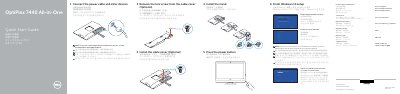
The Dell OptiPlex 7440 All-in-One Quick Start Guide shows how to set up the computer: connect the power cable and other devices, remove the torx screw from the optional cable cover, install the cable cover and stand, press the power button, and finish Windows 10 setup. It also covers enabling Support and Protection, connecting to a network, and signing in to a Microsoft account or creating a local account.
The guide lists features such as the microphone, camera, camera privacy latch, camera-status light, optical drive, on-screen display (OSD) buttons, status lights, audio and video connectors, USB 3.0 and USB 2.0 connectors, network connector, power-diagnostic button and light, cable cover, security cable slot, stand, service tag label, headset connector, and memory card reader. It also points to Dell apps, including Dell Product Registration and Dell SupportAssist, and provides Dell support, contact, regulatory, and safety links.
| Computer model | OptiPlex 7440 AIO |
|---|---|
| Display connector | DisplayPort |
| Video output | HDMI-out |
| USB 3.0 connectors | USB 3.0 |
| Video input | HDMI-in |
| USB 2.0 connectors | USB 2.0 |
| Memory card reader | Memory card reader |
See the documentation that shipped with the wireless keyboard or mouse.
The guide includes a Finish Windows 10 setup step.
Enter the password for the wireless network access when prompted.
The guide points to the Owner’s Manual at dell.com/support.