
The Dell Networking W-7030-MNT-19 is a mounting kit that allows the W-7030 controller to be mounted in a two-post 19-inch Telco rack or on a wall.
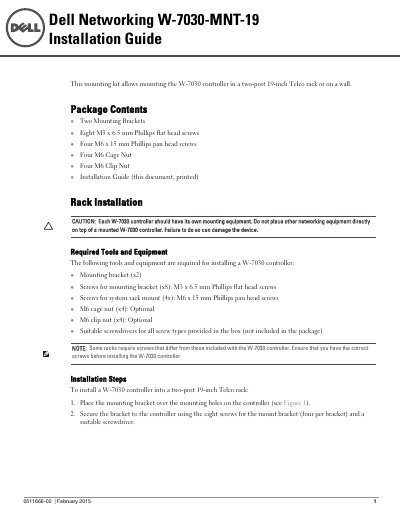
The Dell W-7030-MNT-19 mounting kit allows mounting the W-7030 controller in a two-post 19-inch Telco rack or on a wall. The package includes two mounting brackets, eight M3 x 6.5 mm Phillips flat head screws, four M6 x 15 mm Phillips pan head screws, four M6 cage nuts, and four M6 clip nuts.
For rack installation, attach the brackets to the controller with the M3 screws, insert cage or clip nuts if required, and secure the controller to the rack with the M6 screws. For wall mounting, attach the brackets to the controller, mark and drill holes, insert wall anchors if needed, align the brackets, and secure with appropriate screws; ensure Ethernet ports face down and leave at least 10 cm clearance on each side for ventilation.
| Mounting Brackets | 2 |
|---|---|
| M3 x 6.5 mm Phillips flat head screws | 8 |
| M6 x 15 mm Phillips pan head screws | 4 |
| M6 Cage Nuts | 4 |
| M6 Clip Nuts | 4 |
| Wall Mount Clearance (left/right) | 10 cm (4 inches) |
| Wall Mount Ethernet Port Orientation | Facing down |
The kit includes two mounting brackets, eight M3 x 6.5 mm Phillips flat head screws, four M6 x 15 mm Phillips pan head screws, four M6 cage nuts, and four M6 clip nuts.
Leave a minimum of 10 cm (4 inches) of space on the left and right side for proper air flow and ventilation.
The Ethernet ports must face down when installing the W-7030 controller on a wall.