
Dell Latitude 5290 2-in-1 Notebook Quick Start Guide

The Dell Latitude 5290 2-in-1 Notebook Quick Start Guide.
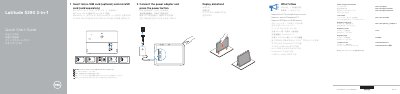

Dell Latitude 5290 2-in-1 Notebook Quick Start Guide - cover page
Brand
DELL
Category
Laptops
Document type
Quick Start Guide
Language
English
Pages
2
File format
PDF
File size
450 KB
Published
25 November, 2023
Updated
25 November, 2023
MD5 checksum
3E93F033F2B02EF430365CFE9E4091A1

About this manual

The Dell Latitude 5290 2-in-1 Quick Start Guide provides initial setup steps, including deploying the kickstand, connecting the power adapter, pressing the power button, and inserting optional micro-SIM and microSD cards.

It also lists product features, support contacts such as Dell.com/support, and regulatory details including model T17G and computer model Latitude 5290 2-in-1.

What's inside

  • Deploy kickstand
  • Connect the power adapter and press the power button
  • Insert micro-SIM card (optional) and microSD card (sold separately)
  • Product support and manuals
  • Contact Dell
  • Regulatory and safety
  • Features
  • What's New

Specifications

Processor supportIntel 7th and 8th Gen processors
Thunderbolt supportOptional Thunderbolt 3
Memory speed2133 MHz on 16 GB memory
PortUSB 3.1 Gen 1 port

Frequently asked questions

How do I start the Dell Latitude 5290 2-in-1?

Connect the power adapter and press the power button.

Does the Dell Latitude 5290 2-in-1 support Thunderbolt 3?

Yes, optional Thunderbolt 3 is supported.

Where can I find product support and manuals for the Dell Latitude 5290 2-in-1?

Visit Dell.com/support and Dell.com/support/manuals.

Download PDF (450 KB)

More DELL Manuals


View all DELL manuals →