
The Dell Precision Tower 3420 Quick Start Guide provides information on how to set up and use the Dell Precision Tower 3420 desktop computer.
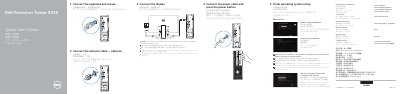
This quick start guide covers initial setup of the Dell Precision Tower 3420, including connecting the keyboard, mouse, network, power, and display, then completing operating system setup. It also identifies front and rear features and provides product support, regulatory, and safety information.
The guide notes optional connections such as a display on a discrete graphics card and optional SD card reader or VGA port, and points to Dell support resources and utilities.
| Regulatory model | D11S |
|---|---|
| Regulatory type | D11S001 |
| Rated voltage | 100-240 V AC |
| Rated frequency | 50-60 Hz |
| Rated input current | 3.0 A |
Connect the display to the discrete graphics card.
Visit Dell.com/support and Dell.com/support/manuals.
A manual installation of the system drivers; latest drivers are available at dell.com/support.
Register My Device, Dell Backup and Recovery, Dell Data Protection | Protected Workspace, and SupportAssist.