
The Dell Storage NX430 System Getting Started Guide describes how to set up and use the Dell Storage NX430 system.
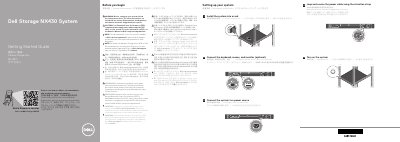
This Dell Storage NX430 System Getting Started Guide provides setup instructions for rack installation, optional keyboard, mouse, and monitor connection, power connection, securing the power cable with the retention strap, and turning on the system. It also points to Dell.com/QRL/Storage/NX430 for how-to videos, documentation, and troubleshooting information.
The guide includes technical specifications required by law to ship with the system, such as PSU wattage, intended voltage, maximum inrush current, system battery, and operating temperature. The text is provided in English, Chinese, Indonesian, Japanese, and Korean.
| PSU wattage | 350 W (Platinum) |
|---|---|
| PSU intended use | 100–240 V AC |
| Maximum inrush current | 4.8 A–2.4 A |
| System battery | 3 V CR2032 lithium coin cell |
| Maximum operation ambient temperature | 35°C (95°F) |
| IT power system phase-to-phase voltage | not exceeding 230 V |
| Validated maximum temperature | 45°C (113°F) |
Follow the safety instructions included in the Safety, Environmental, and Regulatory Information document shipped with the system.
Windows Storage Server 2016 or 2012 R2 is installed at the Dell factory by default.
Use Extended Power Performance (EPP) compliant power supply units, indicated by the EPP label.
See Dell.com/storagemanuals for a complete and current listing of the specifications.