
The Dell EMC PowerEdge T440 Getting Started Guide describes how to set up and use the Dell EMC PowerEdge T440 server.
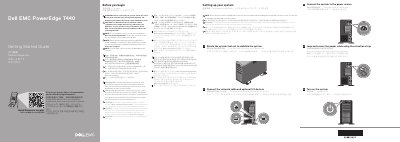
This Dell PowerEdge T440 Getting Started Guide is a multilingual setup document for the Dell PowerEdge T440 system. It directs users to Dell.com/QRL/Server/PET440 for how-to videos, documentation, and troubleshooting information.
The guide lists setup steps such as connecting the power cable, rotating the system feet, turning on the system, and connecting network and optional I/O devices. It also includes safety cautions about EPP-compliant power supplies and basic technical specifications covering power supplies, the 3 V CR2032 system battery, and maximum ambient temperature.
| Power supply | 1100 W Platinum AC 100 – 240 V, 50/60 Hz, 12 A – 6.5 A |
|---|---|
| Power supply | 750 W Platinum AC 100 – 240 V, 50/60 Hz, 10 A – 5 A |
| Power supply | 495 W Platinum AC 100–240 V, 50/60 Hz, 6.5 A–3 A |
| Power supply | 450 W Bronze AC 100–240 V, 50/60 Hz, 6.5 A–3.5 A |
| System battery | 3 V CR2032 lithium coin cell |
| Maximum ambient temperature | 35°C/95°F |
The operating system must be installed first.
Use EPP-compliant power supply units indicated by the EPP label.
They are available at Dell.com/poweredgemanuals.
The maximum ambient temperature is 35°C/95°F.