
Dell Vostro 15 3000 Series Laptop Quick Start Guide.
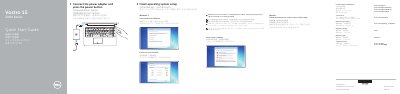
This quick start guide for the Dell Vostro 15 3000 Series (computer model Vostro 15-3561) covers initial setup: connect the power adapter and press the power button, finish operating system setup for Ubuntu or Windows 7, set a Windows password, connect to a network, and protect the computer. It also lists product support and manual links, contact information, and regulatory and safety links.
The guide gives regulatory model P47F and regulatory type P47F007, and includes a labeled feature list covering the camera, camera status light, microphone, security cable slot, power button, optical drive, USB 2.0 connectors, headset connector, touchpad, power and battery-status light, USB 3.0 connector, HDMI connector, VGA connector, network connector, power connector, battery, battery latch, and Service Tag label. It also describes shortcut keys for audio mute, volume, previous/play-pause/next track, external display, search, brightness, wireless on/off, and Fn-key lock.
| Computer model | Vostro 15-3561 |
|---|---|
| Regulatory model | P47F |
| Regulatory type | P47F007 |
Connect the power adapter and press the power button.
Dell points you to the Owner’s Manual at Dell.com/support/manuals.
Enter the password for the wireless network access when prompted.
The listed computer model is Vostro 15-3561.