
Dell Display Manager is a Windows application that can be used to manage one or more monitors. The application allows manual adjustment of the display image, setting automatic settings, power management, window settings, image rotation, and other features on certain Dell models.
Dell Display Manager is a Windows application for managing one or multiple connected displays. It allows manual adjustments to brightness, contrast, rotation, and power settings. After installation, it runs at startup and shows an icon in the notification area. Users can access quick settings or advanced features via the notification icon.
The app supports automatic mode presets based on active applications and includes energy-saving features like PowerNap on compatible Dell models. Users can manually configure display settings or assign presets to specific apps for automatic application-based switching.
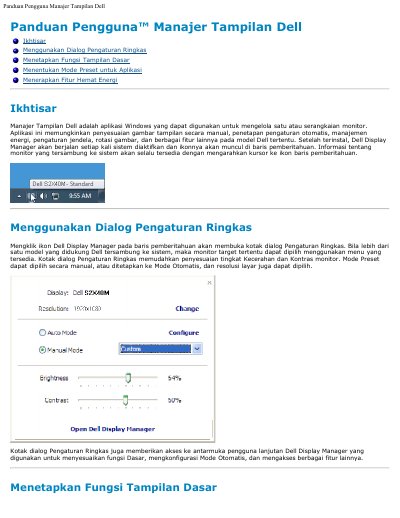
Click the Dell Display Manager icon in the notification area to open the Quick Settings dialog.
Yes, if multiple supported Dell monitors are connected, you can select a target monitor using the available menu.
The app automatically applies your chosen preset mode whenever the associated application is active.