
Dell Inspiron 14-3441 Series Notebook Quick Start Guide

Dell Inspiron 14-3441 Series Notebook Quick Start Guide.
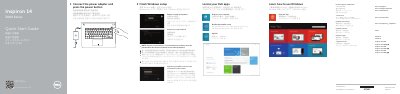

Dell Inspiron 14-3441 Series Notebook Quick Start Guide - cover page
Brand
DELL
Category
Laptops
Document type
Quick Start Guide
Language
English
Pages
2
File format
PDF
File size
441 KB
Published
25 November, 2023
Updated
25 November, 2023
MD5 checksum
BD17BD9AC52FE53B83AA55411A1D8C7C

About this manual

This Quick Start Guide covers the Dell Inspiron 14-3441 Series notebook, including the Inspiron 14-3441, 14-3442, and 14-3443 computer models. It explains how to finish Windows setup, connect the power adapter, and register the computer.

The document also lists the notebook's features and ports, such as the camera, HDMI port, USB ports, and media-card reader, and provides shortcut keys for audio, brightness, and wireless functions. Product support and manuals are available at dell.com/support.

What's inside

  • Finish Windows setup
  • Locate your Dell apps
  • Connect the power adapter and press the power button
  • Register your computer
  • Connect to your network
  • Features
  • Shortcut keys
  • Enable security and updates
  • Sign in to your Microsoft account or create a local account
  • Regulatory and safety

Frequently asked questions

What series does this notebook belong to?

It is part of the Inspiron 14 3000 Series.

What should I do when connecting to a secured wireless network?

Enter the password for wireless network access when prompted.

Where can I find product support and manuals?

Visit Dell support websites such as dell.com/support.

How do I turn wireless on or off?

Use the shortcut key to turn off or on wireless.

Download PDF (441 KB)

More DELL Manuals


View all DELL manuals →