
Dell Latitude 12 7000 Series 2-in-1 Tablet Quick Start Guide

Latitude 12 7000 Series 2-in-1 Quick Start Guide
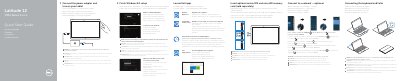

Dell Latitude 12 7000 Series 2-in-1 Tablet Quick Start Guide - cover page
Brand
DELL
Category
Tablets
Document type
Quick Start Guide
Language
English
Pages
2
File format
PDF
File size
546 KB
Published
25 November, 2023
Updated
25 November, 2023
MD5 checksum
CE4AFF69B31D8AF84A69F7CC742B858F

About this manual

The Dell Latitude 12 7000 Series 2-in-1 is a tablet device featuring Windows 8.1. This guide provides instructions for initial power-on, network connection, and the installation of optional memory and SIM cards.

It also details the process for connecting and disconnecting the keyboard and Folio, and identifies the physical hardware features including cameras, ports, and buttons.

What's inside

  • Connect the power adapter and turn on your tablet
  • Finish Windows 8.1 setup
  • Insert optional micro-SIM and microSD memory card
  • Connecting the keyboard and Folio
  • Locate Dell apps
  • Connect to a network
  • Features

Specifications

Operating SystemWindows 8.1

Frequently asked questions

When should I insert the SIM and microSD cards?

It is recommended to insert the micro-SIM card and the microSD card before powering on the tablet.

How do I know if the keyboard is connected correctly?

The keyboard backlight turns on for 2 seconds when the tablet-docking pins and keyboard-docking pins are aligned correctly.

Download PDF (546 KB)

More DELL Manuals


View all DELL manuals →