
OptiPlex 3240 All-in-One Quick Start Guide
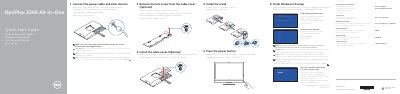
Quick start guide for the Dell OptiPlex 3240 All-in-One. It shows how to connect the power cable and other devices, remove the torx screw from the optional cable cover, install the cable cover and stand, press the power button, and finish Windows 10 setup. It also lists Dell apps for product registration and support.
The Features section identifies the computer's camera, microphone, optical drive, On-Screen Display buttons, status lights, power button, audio, DisplayPort, HDMI-out, USB 3.0 and USB 2.0 connectors, network and power-cable connectors, power-diagnostic button and light, cable cover, security-cable slot, stand, service tag label, headset connector, USB 3.0 connector with PowerShare, and memory card reader. The text is in English, French, Portuguese, Turkish, and Arabic.
| Display connector | DisplayPort connector |
|---|---|
| Video output connector | HDMI-out connector |
| USB connector | USB 3.0 connector with PowerShare |
| Memory card reader | Memory card reader |
| Security | Security-cable slot |
| Camera privacy | Camera-privacy latch |
The computer model is the OptiPlex 3240 AIO.
Dell directs readers to the Owner’s Manual at dell.com/support.
See the documentation that shipped with the wireless keyboard or mouse.