
This guide describes how to set up the keyboard and mouse, connect the power cable and turn on the computer, finish Windows setup, enable security and updates, sign in to your Microsoft account or create a local account, connect to your network, explore resources, and register your computer.
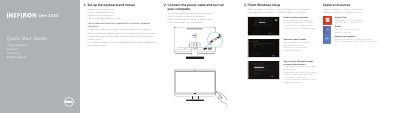
This is the two-page quick start guide for the Dell Inspiron One 2020 computer (regulatory model W06B, W06B001). The setup steps are printed side by side in English, Danish, Finnish, Norwegian and Swedish: set up the wireless keyboard and mouse, connect the power cable and turn on the computer, then finish Windows setup.
The guide walks through enabling security and updates, signing in to a Microsoft account or creating a local account, and connecting to a network. It also lists support resources such as Help and Tips, My Dell, product registration, dell.com/support, dell.com/support/manuals, Contact Dell and regulatory compliance links, plus a numbered diagram of the computer's ports, buttons and drive features.
| USB 2.0 ports (first group) | 3 |
|---|---|
| USB 2.0 ports (second group) | 2 |
| Regulatory model and type | W06B / W06B001 |
Set up the wireless keyboard and mouse, and see the documentation that shipped with them for details.
Connect the power cable, then turn on the computer and finish Windows setup.
Dell lists them at dell.com/support and dell.com/support/manuals.
Dell points to dell.com/regulatory_compliance for regulatory and safety information.