
Dell XPS 730/730X Desktop Computer Setup and Operation Guide

The document provides instructions on how to set up and operate a Dell computer.
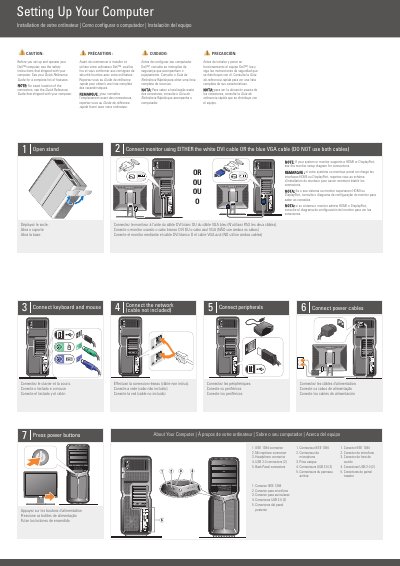

Dell XPS 730/730X Desktop Computer Setup and Operation Guide - cover page
Brand
DELL
Category
Desktops
Document type
Quick Start Guide
Language
English
Pages
2
File format
PDF
File size
1.5 MB
Published
25 November, 2023
Updated
25 November, 2023
Models
XPS 730, 730X
MD5 checksum
8284F26769A685AD1ED22CD31598E63A

About this manual

This Dell document provides setup instructions for the XPS 730/730X desktop computer, including connecting the keyboard, mouse, monitor, network, peripherals, and power cables.

It also describes optional wireless network setup and refers users to the Quick Reference Guide and support.dell.com for additional information.

What's inside

  • Setting Up Your Computer
  • About Your Computer
  • Connect keyboard and mouse
  • Connect the network
  • Connect peripherals
  • Connect power cables
  • Press power buttons
  • Wireless Network (Optional)
  • Finding Answers

Specifications

USB 2.0 connectors2
IEEE 1394 connector1
Microphone connector1
Headphone connector1

Frequently asked questions

What cables should I use to connect the monitor?

Use either the white DVI cable or the blue VGA cable, but do not use both cables.

Where can I find more information about using the computer?

See the Quick Reference Guide or go to support.dell.com.

Is wireless network setup optional?

Yes, wireless network setup is described as optional.

What should I do before setting up and operating the computer?

See the safety instructions that shipped with the computer.

Download PDF (1.5 MB)

More DELL Manuals


View all DELL manuals →