
This document describes the specifications and safety information for a Dell computer.
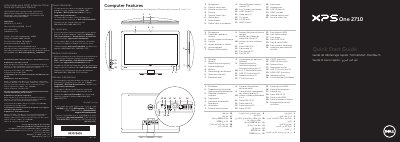
This is the multilingual quick start guide for the Dell XPS One 2710 computer (regulatory model W06C, type W06C001). The short document covers the location and names of the computer's ports and controls, the basic setup steps, and Dell support contact details in English, French, German, Italian, Spanish and Arabic.
Setup steps include connecting the power cable, setting up the wireless keyboard and mouse, locating the Service Tag, pressing the power button and completing Windows setup. A page at the front provides NOM (Norma Oficial Mexicana) information for Mexico, listing the importer, the regulatory model, input voltage of 100 to 240 VAC, 50/60 Hz input frequency and 3.6 A nominal output current, plus links to Dell help documentation and regulatory compliance pages.
| Regulatory model | W06C |
|---|---|
| Type | W06C001 |
| Computer model | XPS One 2710 |
| Input voltage | 100 to 240 VAC |
| Input frequency | 50 Hz/60 Hz |
| Nominal output current | 3.6 A |
| USB 3.0 ports | 4 |
| Audio ports | 2 |
The regulatory model is W06C, with type W06C001, as printed on the document.
The NOM section lists 100 to 240 VAC input voltage at 50 Hz/60 Hz, with 3.6 A nominal output current.
Go to dell.com/ContactDell; customers in the United States can call 800-WWW-DELL (800-999-3355).
The quick start guide has a step titled "Locate your Service Tag," where you can also record the number.