
The Chromebook 5190 2-in-1 Quick Start Guide provides instructions on how to use the Chromebook 5190 2-in-1 laptop.
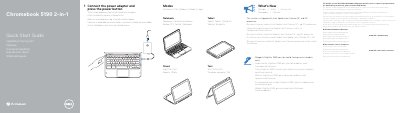
This Dell Chromebook 5190 2-in-1 Quick Start Guide helps users connect the power adapter and press the power button to start the device. It describes the Intel Apollo Lake Celeron processor and the available Notebook, Tablet, Tent, and Stand modes.
The guide also lists hardware features such as cameras, microphones, USB Type-C ports, a microSD card reader, and a Noble Wedge lock slot. Links are provided for Dell warranty, service contracts, product support, and regulatory information.
| Processor | Intel Apollo Lake Celeron DC and QC |
|---|---|
| Computer model | Chromebook 5190 2-in-1 |
| USB Type-C port | Power Delivery/ DisplayPort |
Connect the power adapter and press the power button.
The system uses an Intel Apollo Lake Celeron DC or QC processor.
Go to Dell.com/support and Dell.com/support/manuals.