
The Latitude 11 Education Series Quick Start Guide provides instructions on how to connect the power adapter, turn on the computer, complete Windows setup, enable security and updates, connect to a network, and sign in to your Microsoft account or create a local account.
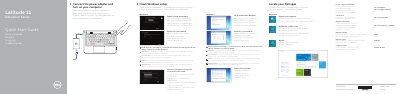
This two-page quick start guide from Dell covers the first steps for the Latitude 11 Education Series computer, listed under computer model Latitude 11-3160. It walks through connecting the power adapter and turning the computer on, finishing Windows setup, enabling security and updates, connecting to a network, and signing in to a Microsoft account or creating a local account. Separate short sections cover Windows 8 and Windows 7 setup, including setting up a password for Windows, protecting the computer, and learning how to use Windows through Help and Tips.
The guide also points to the Dell apps, such as My Dell, Dell Backup and Recovery, and product support and manuals at dell.com/support/manuals, plus registration, contact and regulatory compliance links. The second page is a labeled features list of the computer's microphones, camera, speakers, security-cable slot, power button and indicator lights, ports and connectors. The instructions are printed in English, Danish, Finnish, Norwegian and Swedish, and note the regulatory model P21T and regulatory type P21T002.
| Computer model | Latitude 11-3160 |
|---|---|
| Regulatory model | P21T |
| USB port | USB 3.0 port |
| Video port | HDMI port |
| Network port | RJ45 port |
| Card reader | SD-card reader |
| Audio port | Audio-connector port |
Connect to your network during Windows setup and, when prompted, enter the password for the wireless network access.
The guide refers you to the Owner's Manual at dell.com/support/manuals.
Registration is done through the Dell apps listed in the guide, under Register your computer.
My Dell, Dell Backup and Recovery, and product support and manuals.