
Dell OptiPlex 3050 All-in-One Quick Start Guide
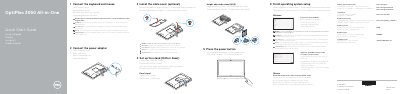
This quick start guide for the Dell OptiPlex 3050 All-in-One walks through setting up the stand (HAS or Easel), connecting the keyboard and mouse, connecting the power adapter, installing the optional cable cover, and pressing the power button. It then covers connecting to a network, signing in to a Microsoft account or creating a local account, and finishing operating system setup.
The guide also lists the computer's features and ports, including USB 2.0 and USB 3.0 ports, DisplayPort, optional VGA and serial ports, network port, headset port, and SD card reader. It provides Dell support and manual links, contact information, and regulatory and safety references.
| USB ports | USB 2.0 and USB 3.0 |
|---|---|
| DisplayPort | Yes |
| VGA port | Optional |
| Serial port | Optional |
| Network port | Yes |
| Optical drive | Optional |
| Camera | Optional |
| SD card reader | Yes |
| Headset port | Yes |
| USB 3.0 PowerShare port | Yes |
Enter the password for the wireless network access when prompted.
See the documentation that shipped with it.
No. Securing the cable cover with the Torx screw is optional.
At Dell.com/support and Dell.com/support/manuals.