
Dell Latitude 3380 Quick Start Guide
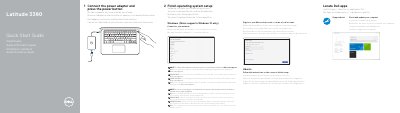
This quick start guide for the Dell Latitude 3380 laptop walks through the first steps: connecting the power adapter and pressing the power button, finishing operating system setup, connecting to a network, and signing in to a Microsoft account or creating a local account. It notes that Windows setup supports Windows 10 only, while Ubuntu users follow the instructions on the screen to finish setup.
The guide also shows where to locate Dell apps such as SupportAssist, gives a numbered diagram of the laptop's features from the microphone and camera to the power port connector and service tag label, and lists Dell support, contact and regulatory compliance web addresses. It is printed in English, Dutch, French, German and Italian, and refers readers to the Owner's Manual at Dell.com/support for SIM card installation instructions.
NOTE: The above overview is written from the provided text only.
| Supported operating system | Windows 10 only (Windows setup) |
|---|---|
| USB ports | USB 3.0 ports; USB 3.0 port with PowerShare |
| Card reader | microSD card reader |
| Video port | HDMI port |
| Network port | Network port |
| Lock slot | Noble Wedge lock slot |
Connect the power adapter and press the power button.
The guide refers you to the Owner's Manual at Dell.com/support.
Enter the password for the wireless network access when prompted.
The guide states that Windows setup supports Windows 10 only.