
The Latitude 12 7000 Series 2-in-1 Quick Start Guide describes how to connect the power adapter, turn on the tablet, finish Windows 10 setup, enable support and protection, and connect to your network.
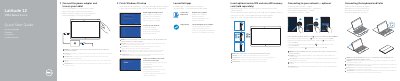
This is Dell's Quick Start Guide for the Latitude 12 7000 Series 2-in-1 tablet, identified in the document as computer model Latitude 12 7275. The two-page guide walks through the first steps: connecting the power adapter and turning the tablet on, inserting the optional micro-SIM and microSD cards, finishing Windows 10 setup with Support and Protection, signing in with a Microsoft account or creating a local account, and locating Dell apps such as Dell Product Registration and SupportAssist.
The guide also covers connecting to a wireless network from the system tray, attaching and detaching the keyboard and Folio (including the Dell Premier Magnetic Folio), and a numbered illustration of the tablet's features. Support, contact and regulatory information is listed at the end, including the regulatory model and type T02H001. Instructions and notes are repeated in English, Danish, Finnish, Norwegian and Swedish.
| Computer model | Latitude 12 7275 |
|---|---|
| Regulatory model | T02H001 |
| Regulatory type | T02H001 |
| Micro-SIM reader | Available on LTE/HSPA+ models only |
| Memory card reader | microSD memory card reader |
| Connectors | USB Type-C connector; USB Type-C connector / Charging connector |
Dell recommends inserting the micro-SIM card and the microSD card before powering on the tablet.
The keyboard backlight turns on for 2 seconds when the tablet-docking pins and keyboard-docking pins are aligned correctly.
Dell lists Dell.com/support/manuals for product support and manuals.
The computer model shown in the guide is Latitude 12 7275.