
Dell XPS/Latitude 12 Keyboard with Premier Magnetic Folio Quick Start Guide

Dell Premier Magnetic Folio Quick Start Guide XPS/Latitude 12 Keyboard with Premier Magnetic Folio 2015-10
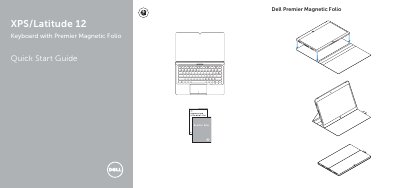

Dell XPS/Latitude 12 Keyboard with Premier Magnetic Folio Quick Start Guide - cover page
Brand
DELL
Category
Mouse keyboard
Document type
Quick Start Guide
Language
English
Pages
2
File format
PDF
File size
179 KB
Published
25 November, 2023
Updated
25 November, 2023
MD5 checksum
F785AC69BEC1D9B0302EF37D2563ED4A

About this manual

This two-page quick start guide from Dell covers the keyboard used with the Premier Magnetic Folio on XPS/Latitude 12 systems. It shows how to connect and how to disconnect the keyboard and the Premier Magnetic Folio.

The guide also lists where to find product support and manuals, how to contact Dell, and where to read regulatory and safety information. It carries the regulatory model K18A and regulatory type K18A001.

What's inside

  • Connecting Keyboard and Premier Magnetic Folio
  • Disconnecting Keyboard and Premier Magnetic Folio
  • Product support and manuals
  • Contact Dell
  • Regulatory and safety

Frequently asked questions

Where can I find product support and manuals?

Dell directs users to Dell.com/support and Dell.com/support/manuals for product support and manuals.

Where can I find regulatory and safety information?

Dell lists a regulatory compliance page at Dell.com/regulatory_compliance for regulatory and safety information.

What does this guide show how to do?

It shows connecting and disconnecting the keyboard and the Premier Magnetic Folio.

Download PDF (179 KB)

More DELL Manuals


View all DELL manuals →