
Vostro 15 7570 Quick Start Guide
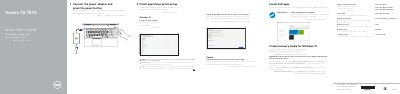
The Dell Vostro 15-7570 Quick Start Guide provides essential instructions for setting up the laptop, including power connection, operating system configuration for Windows 10 and Ubuntu, and network connectivity.
It also details the hardware layout, identifying key ports and features such as the Thunderbolt 3 USB Type-C port, fingerprint reader, and various connectivity options, along with a guide to keyboard shortcut keys.
In Windows search, type Recovery, click Create a recovery media, and follow the on-screen instructions.
Connect the power adapter and press the power button.
You must download Dell Power Manager (DPM 3.0) from Dell.com/support.
The laptop has a Nobel Wedge lock slot.