
The Dell Inspiron 24-5459 Series Desktop Quick Start Guide introduces the features and functions of the desktop.
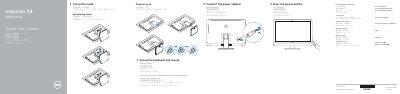
This quick start guide helps set up the Dell Inspiron 24-5459 Series desktop, including connecting the power adapter, setting up the keyboard and mouse, installing the stand, and finishing Windows setup.
It also identifies the computer's external features and ports, such as USB, HDMI, audio, network, media-card reader, camera, microphones, and optional optical drive, and notes where to find additional Dell help documentation.
| USB 3.0 ports | 2 |
|---|---|
| USB 2.0 ports | 4 |
Enter the password for the wireless network access when prompted.
Click Start, then All Programs, then Dell Help Documentation.