
OptiPlex 7050 Tower Quick Start Guide
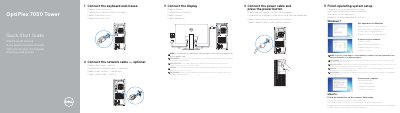
This guide helps you connect peripherals and set up your Dell OptiPlex 7050 Tower 1. It includes steps for connecting the keyboard, mouse, display, and power, as well as setting up the operating system and connecting to a network. Optional features like discrete graphics cards and external drives are also addressed.
The guide is multilingual, with instructions in multiple languages including Czech, Hungarian, Polish, and Slovak. It also includes a diagram of the tower’s ports and connectors for easy reference. This manual is written in Czech.
| Computer model | OptiPlex 7050 Tower |
|---|---|
| Regulatory model | D18M |
| Regulatory type | D18M003 |
If you ordered a discrete graphics card, connect the display to the discrete graphics card.
Enter the password for the wireless network access when prompted.