
Dell Venue 5056 Quick Start Guide
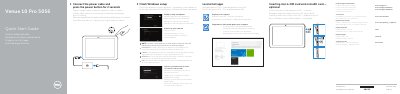
This guide helps you power on and set up your Dell Venue 5056 tablet. Connect the power cable, press the power button, and follow prompts to complete Windows setup. Connect to your network by selecting your Wi-Fi network and entering the password if required. Sign in to your Microsoft account or create a local account. Locate Dell apps and use SupportAssist to check and update your computer.
The tablet features a front and rear camera, USB 3.0 ports, micro-HDMI, and optional micro-SIM and microSD slots. It includes NFC, a Noble security cable slot, and service tag for support. Use the volume buttons, Windows button, and status lights to manage device functions.
Connect the power cable and press the power button for 2 seconds.
In the charms sidebar, tap Settings, tap the wireless icon, select your network, and tap Connect.
Yes, inserting micro-SIM and microSD cards is optional.