
The Dell Precision Rack 7910 Quick Start Guide introduces the features and characteristics of the product.
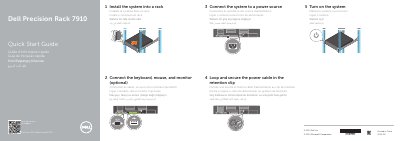
This Quick Start Guide for the Dell Precision Rack 7910 shows the basic setup sequence: install the system in a rack, connect the keyboard, mouse, and optional monitor, connect the power source, loop and secure the power cable in the retention clip, and turn on the system. It also lists Dell support and manuals links, contact information, and regulatory and safety links. The guide includes English, French, Portuguese, Turkish, and Arabic text.
The second page identifies numbered system features, including the power button and power light, NMI button, system identification controls, VGA and USB connectors, LCD panel and menu buttons, hard-drives, vFlash media card slot, optional optical drive, iDRAC8 Enterprise port, PCIe expansion slots, serial and network connectors, and power supply. The regulatory model is E31S and the regulatory type is E31S001.
| iDRAC8 Enterprise port | Optional |
|---|---|
| Optical drive | Optional |
| Regulatory model | E31S |
| Regulatory type | E31S001 |
Loop the power cable and secure it in the retention clip.
The guide lists dell.com/support and dell.com/support/manuals.
The regulatory model is E31S.
The feature list includes a VGA connector and USB 3.0 connectors.