
OptiPlex 7450 All-in-One Quick Start Guide
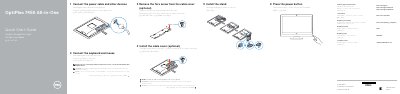
This Quick Start Guide explains how to set up the Dell OptiPlex 7450 All-in-One computer, including connecting the power cable, keyboard, mouse, optional cable cover, and stand, then pressing the power button.
It also lists the computer's features and ports, such as USB 3.0 ports, DisplayPort, HDMI ports, network port, and media card reader, and guides the user through Windows 10 setup, network connection, Microsoft account sign-in, and Dell support apps.
| Computer model | OptiPlex 7450 All-in-One |
|---|---|
| Camera | Optional |
| Optical drive | Optional |
Yes, the camera is listed as an optional feature.
No, securing the cable cover with the Torx screw is optional.
See the documentation that shipped with it.