
Inspiron 15 7000 Series Quick Start Guide.
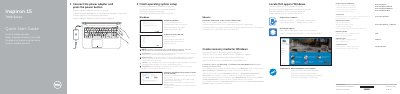
This two-page quick start guide for the Dell Inspiron 15 7000 Series (computer model Inspiron 15-7559) shows initial setup steps: connect the power adapter, press the power button, finish operating system setup, connect to a network, sign in to a Microsoft or local account, and enable Dell updates. It also points to Dell apps, recovery media creation, and support and manuals links.
The guide includes a labeled feature diagram with items such as the camera, microphones, USB 3.0 ports, HDMI port, network port, media-card reader, power button, and Service Tag label. A shortcut-key section lists keys for audio mute and volume, playback, external display, search, keyboard backlight, brightness, wireless, and Fn-key lock. It notes that more information is in Specifications at Dell.com/support.
Connect the power adapter and press the power button.
Enter the password for the wireless network access when prompted.
In Windows search, type Recovery, click Create a recovery media, and follow the instructions on the screen.
See Specifications at Dell.com/support.