
Latitude 12 7285 2-in-1 Quick Start Guide
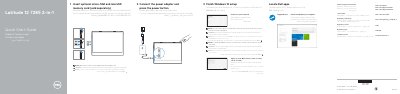
This two-page quick start guide for the Dell Latitude 12 7285 2-in-1 tablet gives setup steps in English, Indonesian, Spanish, and Arabic. It shows how to connect the power adapter, insert optional micro-SIM and microSD cards, finish Windows 10 setup, connect to a network, sign in with a Microsoft or local account, and locate Dell apps including SupportAssist.
The guide also lists the tablet's features and ports, including microphones, camera and IR sensors, battery charge LED, power and Windows buttons, speakers, Noble Wedge lock slot, pogo pins, headset/microphone combo jack, Thunderbolt over USB Type-C charging ports, optional microSIM slot, and microSD card slot. It includes support links, regulatory and safety information, regulatory model T02J, regulatory type T02J001, computer model Latitude 7285 2-in-1, and intended-use orientation guidance.
| Minimum screen-side distance from user body when WWAN transmitter is active | 15 mm (0.59 inches) or greater |
|---|---|
| Computer model | Latitude 7285 2-in-1 |
| Optional media slots | micro-SIM and microSD |
Connect the power adapter and press the power button, insert optional micro-SIM and microSD cards, then finish Windows 10 setup.
Connect to your network, and if it is a secured wireless network, enter the password when prompted.
Dell product support and manuals are available at Dell.com/support and Dell.com/support/manuals.
Keep the screen side at least 15 mm (0.59 inches) from the user's body.