
OptiPlex 7450 All-in-One Quick Start Guide
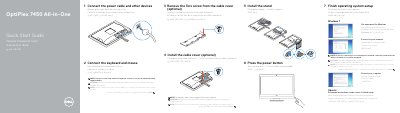
This quick start guide helps set up the Dell OptiPlex 7450 All-in-One. It covers connecting the power cable, keyboard, mouse, and other devices, installing the stand and optional cable cover, and pressing the power button.
The guide also explains finishing operating system setup for Windows or Ubuntu, setting a Windows password, connecting to a network, and protecting the computer. Support information is available at Dell.com/support.
| Computer model | OptiPlex 7450 All-in-One |
|---|
Connect the keyboard and mouse during setup.
Yes, installing the cable cover is optional.
Product support and manuals are available from Dell.
The computer model is OptiPlex 7450 All-in-One.