
Inspiron 15 5000 Series Quick Start Guide.
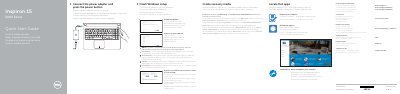
This Dell quick start guide for the Inspiron 15 5000 Series computer, model Inspiron 15-5559, walks through initial setup: connecting the power adapter and pressing the power button, completing Windows setup, enabling Dell updates, connecting to a network, signing in with a Microsoft account or creating a local account, locating Dell apps, and creating recovery media. It also points to Dell support and manuals at Dell.com/support and Dell.com/support/manuals.
The guide lists computer features, including the camera and microphones, power-adapter, network, HDMI, USB 3.0, USB 2.0, and headset ports, media-card reader, optical drive, security-cable slot, power button, battery, and labels. It also describes shortcut keys for audio, media playback, display switching, search, keyboard backlight, brightness, Fn-key lock, wireless, sleep, and the power/battery-status and hard-drive activity light. The document is dated 2015-06 and printed in China; the regulatory model is P51F and the regulatory type is P51F004.
| Computer model | Inspiron 15-5559 |
|---|---|
| Regulatory model | P51F |
| Regulatory type | P51F004 |
| USB 3.0 port | 1 |
| USB 2.0 ports | 2 |
Connect the power adapter and press the power button.
The computer model is Inspiron 15-5559.
In Windows search, type Recovery, click Create a recovery media, and follow the on-screen instructions.
Dell.com/support and Dell.com/support/manuals.