
The Dell Latitude 3590 Quick Start Guide introduces the features and specifications of the product.
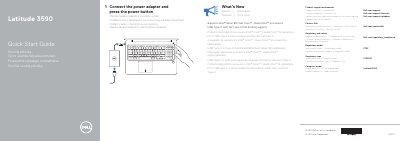
The Dell Latitude 3590 Quick Start Guide shows how to connect the power adapter and press the power button to start the computer. It also lists product support and regulatory information.
The guide identifies laptop features such as the camera, microphones, power button, ports, touchpad, speakers, and service tag label. It notes support for Intel's latest 8th Gen Core i Quad Core processors and USB Type-C with full Type-C Dell docking support.
| Processor support | Intel latest 8th Gen Core i Quad Core processors |
|---|---|
| USB Type-C docking | USB Type-C with full Type-C Dell docking support |
| USB 2.0 port | USB 2.0 port |
| USB 3.1 Gen 1 port with PowerShare | USB 3.1 Gen 1 port with PowerShare |
| USB 3.1 Gen 1 (Type-C) port/DisplayPort | USB 3.1 Gen 1 (Type-C) port/DisplayPort |
| HDMI port | HDMI port |
| SD card slot | SD card slot |
| Micro-SIM card slot (optional) | Micro-SIM card slot (optional) |
Connect the power adapter and press the power button.
It supports Intel's latest 8th Gen Core i Quad Core processors.
Yes, it has USB Type-C with full Type-C Dell docking support.
No, it is supported only on computers shipped with a hard drive.