
The Dell Vostro 3252 Quick Start Guide provides information on how to set up and use the Dell Vostro 3252 computer.
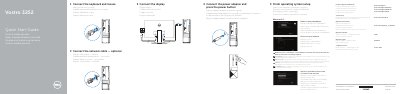
This Quick Start Guide for the Dell Vostro 3252 computer explains initial setup, including connecting the keyboard, mouse, display, network cable, and power adapter, then finishing operating system setup and enabling security and updates.
It lists computer features such as the optical drive, USB 2.0 and USB 3.0 connectors, VGA and HDMI connectors, headset and microphone connectors, network connector, and security-cable slot. Support options include Dell Help & Support, SupportAssist, Dell Backup and Recovery, and computer registration.
| Optical drive | Included |
|---|---|
| USB 2.0 connectors | Included |
| USB 3.0 connectors | Included |
| HDMI connector | Included |
| Network connector | Included |
Connect the power adapter and press the power button.
Enter the password for the wireless network access when prompted.
Follow the instructions on the screen to finish setup.