
Dell OptiPlex 9030 AIO Quick Start Guide

The Dell OptiPlex 9030 All-in-One Quick Start Guide provides information on how to set up and use the Dell OptiPlex 9030 All-in-One.
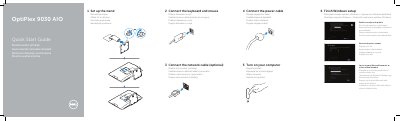

Dell OptiPlex 9030 AIO Quick Start Guide - cover page
Brand
DELL
Category
All-in-One Desktops
Document type
Quick Start Guide
Language
CS
Pages
2
File format
PDF
File size
501 KB
Published
25 November, 2023
Updated
25 November, 2023
MD5 checksum
219A9D64642821C7E0113FBB8FB78FD0

About this manual

This guide helps you quickly set up your Dell OptiPlex 9030 All-in-One computer. It covers connecting power and network cables, attaching peripherals like keyboard and mouse, and completing Windows setup. You’ll also learn to log in to your Microsoft or local account and configure basic system settings.

The device includes features such as built-in camera, microphones, HDMI and DisplayPort outputs, USB ports, and a security lock slot. The guide lists all physical components and their functions for easy reference during setup. This manual is written in Czech.

What's inside

  • Connect to your network
  • Log in to your Microsoft account or create a local account
  • Connect the power cable
  • Connect the network cable (optional)
  • Connect the keyboard and mouse
  • Set up the stand
  • Features
  • Product support and manuals
  • Regulatory and safety
  • Computer model

Frequently asked questions

Is connecting a network cable required during setup?

No. The guide lists connecting the network cable as optional.

What should I do to enable security and updates?

The guide lists "Enable security and updates" as a setup step for the computer.

What are my options for signing in during Windows setup?

You can log in to your Microsoft account or create a local account.

Download PDF (501 KB)

More DELL Manuals


View all DELL manuals →