
Dell Inspiron 15 3000 Series Quick Start Guide.
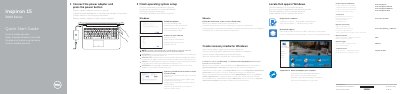
Dell Inspiron 15 3000 Series quick start guide. It shows how to connect the power adapter, finish operating system setup, connect to a network, enable Dell updates, register the computer, use SupportAssist, locate Dell apps, and create recovery media for Windows.
The guide also identifies the computer's ports and controls, lists shortcut keys, and gives support, regulatory, and safety information. The computer model listed is Inspiron 15-3552, with regulatory model P47F and regulatory type P47F003.
| USB 2.0 ports | 2 |
|---|---|
| USB 3.0 port | 1 |
| HDMI port | 1 |
| Media-card reader | 1 |
| Headset port | 1 |
| Security-cable slot | 1 |
Connect the power adapter and press the power button.
Follow the instructions on the screen to finish setup.
Enter the password for the wireless network access when prompted.
In Windows search, type Recovery, click Create a recovery media, and follow the instructions on the screen.