
Dell Precision 7820 Tower Workstation Quick Start Guide

Dell Precision 7820 Tower Workstation Quick Start Guide.
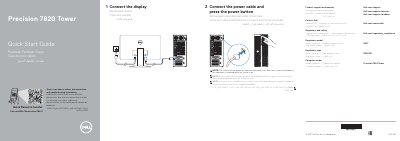

Dell Precision 7820 Tower Workstation Quick Start Guide - cover page
Brand
DELL
Category
Desktops
Document type
Quick Start Guide
Language
English
Pages
2
File format
PDF
File size
447 KB
Published
25 November, 2023
Updated
25 November, 2023
MD5 checksum
FDEA0E48AC48C1186115B323C4E4CAE6

About this manual

This document serves as a Quick Start Guide for the Dell Precision 7820 Tower workstation. It provides step-by-step instructions for initial setup, specifically connecting the display and power cable, and pressing the power button to start the system. It also includes important safety notes regarding the side cover and system power state.

What's inside

  • Connect the display
  • Connect the power cable
  • Press the power button
  • System power-on notes
  • Quick Resource Locator
  • Features
  • Ports and connectors
  • Regulatory and safety

Specifications

Power buttonPower button/Power light
USB portsUSB 3.1 Gen 1 ports
Graphics slotDiscrete graphics card slot (optional)
Optical driveOptical drive
Network portNetwork port

Frequently asked questions

What happens if the side cover is removed while the system is on?

The system will shutdown.

Will the system power on if the side cover is off?

No, the system will not power-on while the side cover is off.

Download PDF (447 KB)

More DELL Manuals


View all DELL manuals →