
OptiPlex 7440 All-in-One Quick Start Guide.
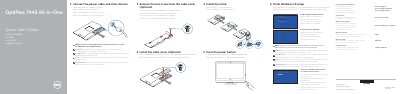
This guide helps you quickly set up your Dell OptiPlex 7440 All-in-One computer. Start by connecting the power cable and other devices. Then install the stand and press the power button to begin setup. Follow on-screen instructions to complete Windows 10 installation and connect to your network. The guide also includes a diagram of the device’s ports and features for easy reference.
See the documentation that shipped with the wireless keyboard or mouse.
Enter the password for the wireless network access when prompted.