
Dell Precision 7510 Mobile Workstation 7000 Series Quick Start Guide

The Dell Precision Mobile Workstation 7000 Series Quick Start Guide describes how to connect the power adapter, finish Windows 10 setup, check and update your computer, and register your computer.
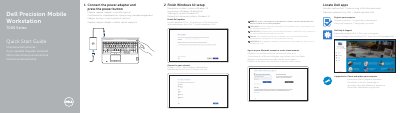

Dell Precision 7510 Mobile Workstation 7000 Series Quick Start Guide - cover page
Brand
DELL
Category
Laptops
Document type
Quick Start Guide
Language
English
Pages
2
File format
PDF
File size
398 KB
Published
25 November, 2023
Updated
25 November, 2023
MD5 checksum
99D034DEDEA567997329B8B2B062EF8B

About this manual

This quick start guide helps set up the Dell Precision 7510 mobile workstation by connecting the power adapter, pressing the power button, and completing Windows 10 setup. It also describes SupportAssist checks, registration, Dell updates, network connection, Microsoft account sign-in, and locating Dell apps.

The guide includes a labeled features diagram showing connectors and components such as USB 3.0, HDMI, Mini DisplayPort, USB-C, and the docking connector. It also provides product support and manual links, contact information, and regulatory and safety details.

What's inside

  • Connect the power adapter and press the power button
  • Finish Windows 10 setup
  • SupportAssist check and update
  • Register your computer
  • Dell Help & Support
  • Enable Dell updates
  • Connect to your network
  • Sign in to your Microsoft account
  • Locate Dell apps
  • Features and connectors

Frequently asked questions

Where can I find manuals for this workstation?

Product support and manuals are available at Dell.com/support/manuals.

What computer model does this guide cover?

The guide covers the Dell Precision 7510.

Where is the service-tag label shown?

The service-tag label is item 24 in the features diagram.

Download PDF (398 KB)

More DELL Manuals


View all DELL manuals →