
OptiPlex 3050 Tower Quick Start Guide.
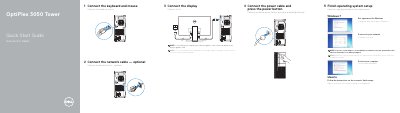
This guide shows how to set up the Dell OptiPlex 3050 Tower by connecting the keyboard, mouse, network cable, display, and power cable, then finishing operating system setup for Windows 7 or Ubuntu.
It also identifies the computer's features and ports, lists product support and manual resources, and provides regulatory and safety information.
| HDMI port | included |
|---|---|
| DisplayPort | included |
| USB 3.0 ports | included |
| Optical drive | optional |
| Memory card reader | optional |
Connect the display to the discrete graphics card.
Visit Dell.com/support and Dell.com/support/manuals.
Follow the instructions on the screen to finish setup.