
OptiPlex 3050 Small Form Factor Desktop Quick Start Guide
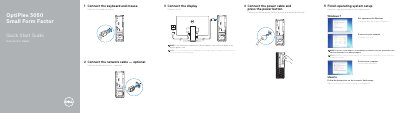
This two-page quick start guide from Dell shows how to set up the OptiPlex 3050 Small Form Factor computer. It covers connecting the keyboard and mouse, the network cable (optional), the display, and the power cable, then finishing operating system setup. Notes explain that a display should be connected to the discrete graphics card if one was ordered, and that a password must be entered when joining a secured wireless network.
The second page lists support resources at Dell.com/support, Dell.com/support/manuals, Dell.com/support/windows and Dell.com/contactdell, along with regulatory and safety information. It also gives a numbered diagram of the computer's ports and features, from the optional optical drive and power button to the USB, HDMI, DisplayPort and network ports, expansion card slots, power connector port, Kensington security cable slot and padlock ring. The text is printed in English with a Portuguese translation.
| Computer model | OptiPlex 3050 SFF |
|---|---|
| Regulatory model | D11S |
| Regulatory type | D11S002 |
| Optical drive | Optional |
| Memory card reader | Optional |
| USB ports | USB 2.0 ports and USB 3.0 ports; the USB 2.0 ports support Smart Power On |
| VGA port | Optional |
| Expansion slots | Expansion card slots |
Dell lists product support and manuals at Dell.com/support, Dell.com/support/manuals and Dell.com/support/windows.
Connect the display to the discrete graphics card instead of the onboard connector.
Enter the wireless network password when prompted.
Contact details are provided at Dell.com/contactdell.