
The Dell Latitude 3190 Quick Start Guide introduces the features and specifications of the product.
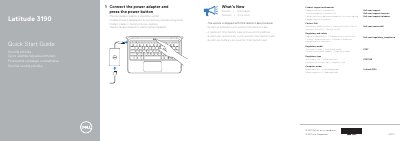
The Dell Latitude 3190 Quick Start Guide is a two-page multilingual setup leaflet. It shows how to connect the power adapter and press the power button, lists product support and contact links, and points to regulatory and safety information.
A features section identifies the camera, microphone, power button, Noble Wedge lock slot, battery status light, universal audio jack, speakers, touchpad, USB 3.1 Gen 1 ports, HDMI port, power connector port, microphone status light, and Service Tag label. The document also states that the system ships with an Intel Gemini Lake processor.
| Computer model | Latitude 3190 |
|---|---|
| Regulatory model | P26T |
| Regulatory type | P26T004 |
| Processor | Intel Gemini Lake |
| Ports | USB 3.1 Gen 1 ports, HDMI port |
| Security | Noble Wedge lock slot |
| Audio | Universal audio jack, speakers |
Connect the power adapter and press the power button.
The system is shipped with an Intel Gemini Lake processor.
Dell lists Dell.com/support and Dell.com/support/manuals.
The computer model is Latitude 3190.