
Dell OptiPlex 7040 Mini Tower Quick Start Guide
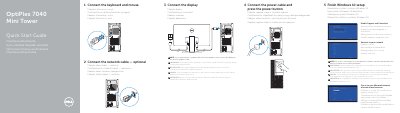
This two-page Dell quick start guide for the OptiPlex 7040 Mini Tower shows how to connect the keyboard, mouse, network cable, power cable, and display. It also outlines finishing Windows 10 setup, enabling Support and Protection, connecting to a network, and signing in with a Microsoft account or creating a local account.
The guide includes a numbered features list identifying the power button, optical-drive bay, USB 2.0 and USB 3.0 connectors, HDMI, DisplayPort, optional VGA and memory card reader, audio, serial, PS/2, and network connectors, expansion-card slots, and security features. Support and regulatory information is provided with Dell support links and the regulatory model D18M.
| Computer model | OptiPlex 7040 MT |
|---|---|
| Regulatory type | D18M001 |
| HDMI connector | Included |
| DisplayPort connector | Included |
| VGA connector | Optional |
| Memory card reader | Optional |
| USB 2.0 connector | With PowerShare |
| USB 2.0 connectors | Supports Smart Power On |
Connect the display to the discrete graphics card.
Enter the password for the wireless network access when prompted.
Dell lists Dell.com/support/manuals for product support and manuals.
The guide lists regulatory model D18M and regulatory type D18M001.