
This guide describes how to quickly get started with your Lenovo computer.
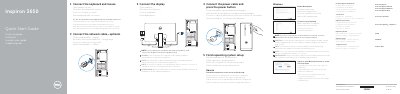
This quick start guide for the Dell Inspiron 3650 desktop computer explains how to connect the power cable, keyboard, mouse, network cable, and display, then finish operating system setup for Windows or Ubuntu.
It also lists the computer's ports and buttons, including USB, audio, video, and network ports, and provides links to Dell product support, manuals, and regulatory information.
| USB 3.0 ports | 2 |
|---|---|
| USB 2.0 ports | 4 |
| Audio ports | 3 |
| Optical drive | optional |
| VGA port | 1 |
| HDMI port | 1 |
| Network port | 1 |
Connect the display to the discrete graphics card.
In Windows search, type Recovery, click Create a recovery media, and follow the instructions on the screen.
Go to Dell.com/support and Dell.com/support/manuals for product support and manuals.
The computer model is Inspiron 3650.